How to Add Time for Project Planning and Task Tracking
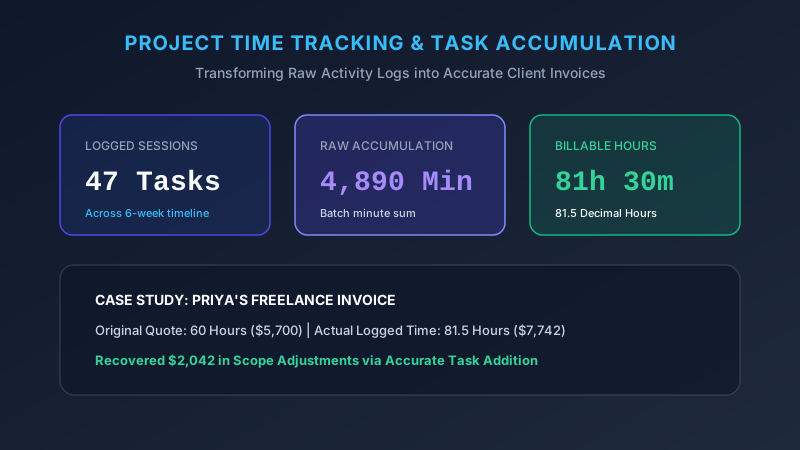
Projects slip quietly, almost politely. One task runs long, then another follows, and suddenly your deadline has evaporated without a single dramatic moment. Solid project time tracking catches that drift early, while fixing it remains cheap. Learning how to calculate project hours converts vague optimism into hard numbers. Here is the practical method freelancers and teams genuinely use.
Why Time Addition Matters in Project Planning
Estimates without arithmetic are just hopes wearing a suit. When you calculate total project time accurately, scheduling becomes realistic and clients stop receiving unpleasant surprises.
Research consistently shows people underestimate task length badly. Psychologists call it the planning fallacy. Adding real logged task duration from past work corrects that optimism faster than any pep talk ever will.
How to Calculate Time Spent on Tasks
Log start and stop times for every meaningful task. Then calculate task time by simple subtraction. Keep those records raw and unrounded at first.
Rounding early quietly destroys accuracy. Ten tasks each rounded up five minutes inflates your project duration by nearly an hour. Round once at the reporting stage instead, never at collection.
Adding Multiple Task Durations
To add task durations, total all minutes first, then convert a single time at the end. This batching approach saves effort on long lists and reduces carrying errors substantially.
Group related work sensibly too. Design, revision, and export might merge into one line item for cleaner client reporting. Granularity helps you, while summaries help them.
How to Total Project Hours
To find total project hours, sum every task entry across the complete timeline. Add minutes, divide by 60, then carry into your hours column. A project hours calculator handles this instantly. Always add project hours before invoicing so nothing quietly disappears.
Tracking Billable Time
Not every logged minute bills. Separate genuine client work from admin, proposals, and internal meetings. Then calculate billable hours cleanly and defensibly.
| Activity | Duration | Billable |
|---|---|---|
| Client call | 45m | Yes |
| Design work | 3h 20m | Yes |
| Internal sync | 30m | No |
| Revisions | 1h 15m | Yes |
| Admin email | 20m | No |
| Billable total | 5h 20m | , |
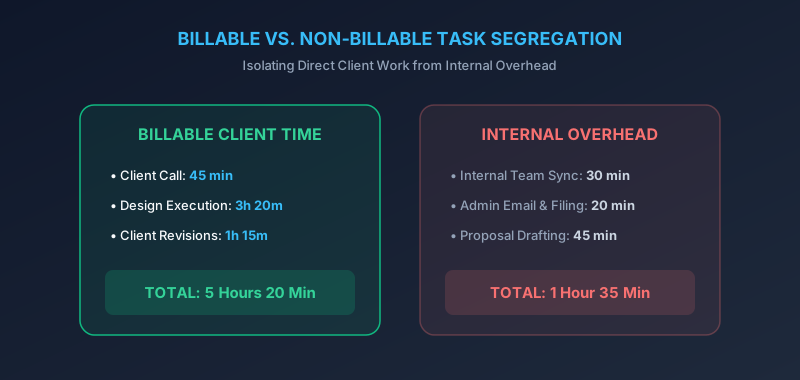
Separating client deliverable time from internal administration ensures transparent invoices
Adding Time From Daily Project Logs
Daily logs beat weekly memory every time. Write entries as work happens, not Friday afternoon. Then add daily project hours each evening while details stay fresh.
A running time log calculator exposes drift immediately. If Tuesday burned six hours on a four hour estimate, you learn Tuesday night. That leaves room to adjust Wednesday rather than apologizing later.
Estimating Total Project Duration
To estimate project completion time, add every planned task, then pad by twenty percent minimum. That buffer absorbs revisions, feedback delays, and ordinary surprises.
“Take your honest estimate, then add a quarter. You will still be optimistic.”
Historical data helps most of all. Your own past project time calculation records predict future work far better than any fresh guess.
Time Addition for Freelancers and Teams
Freelancers track freelance hours primarily for invoices. Teams calculate team hours for capacity planning. The underlying math stays identical for both.
Teams face one extra wrinkle worth remembering. Three people working two hours each equals six billable hours, not two elapsed hours. Multiply headcount before you add durations.
| Team Member | Hours Logged |
|---|---|
| Designer | 12h 30m |
| Developer | 18h 45m |
| Writer | 6h 15m |
| Total | 37h 30m |
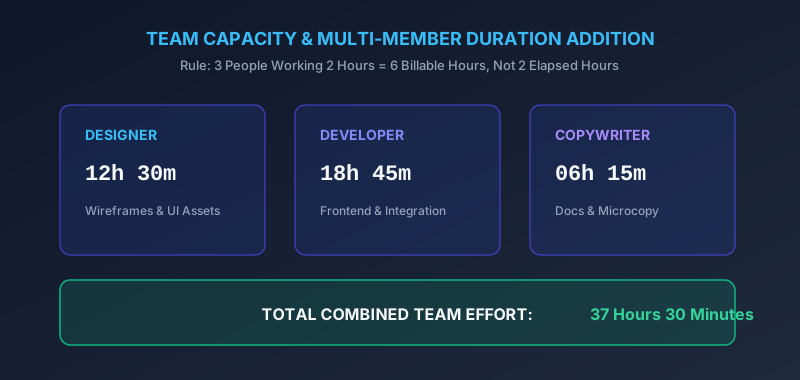
Aggregating logged hours across team members to track project capacity against milestones
Using a Calculator for Project Time Tracking
An online project time calculator handles messy, irregular entries painlessly. Enter durations, receive totals, then export for invoicing without retyping anything.
Manual math still matters for quick sanity checks. But past twenty entries, a task duration calculator wins decisively on both speed and accuracy.
Case Study: Priya’s Website Build
Priya, a Seattle freelancer, logged 47 separate entries across six weeks. Her raw minutes totaled 4,890, which converted to 81 hours 30 minutes. At $95 hourly, that meant $7,742 billed. Her original estimate had been just 60 hours, a 36 percent miss she now builds into future quotes.
Conclusion
You can now track time spent on tasks and transform scattered logs into reliable numbers. Sum the minutes, convert once, keep billable separate from internal.
Do this consistently and your estimates improve with every completed project. Real time management starts with honest addition, nothing more complicated than that.